About the Author


Are you ready to advertise on Google? In this article, we’ll show you how to set up a Google Ads account, share some considerations to make beforehand, and equip you with resources to set up your first campaign.
Contents
- How to set up a new Google Ads account
- What to know before you create a Google Ads account
- Free Google Ads resources
How to set up a new Google Ads account
For those who’ve done your research and are ready to get started, here’s how you set up your new Google Ads account. (Haven’t done your research yet? Skip down to what to know before you set up your account!)
1. Choose or create your Google account
In order to create a Google Ads account, you need a regular Google account. If you use Gmail, that means you already have one, so you can skip to the next step. But if you don’t have a Gmail address or if it’s a personal email address, you’ll want to create a separate account for your business.
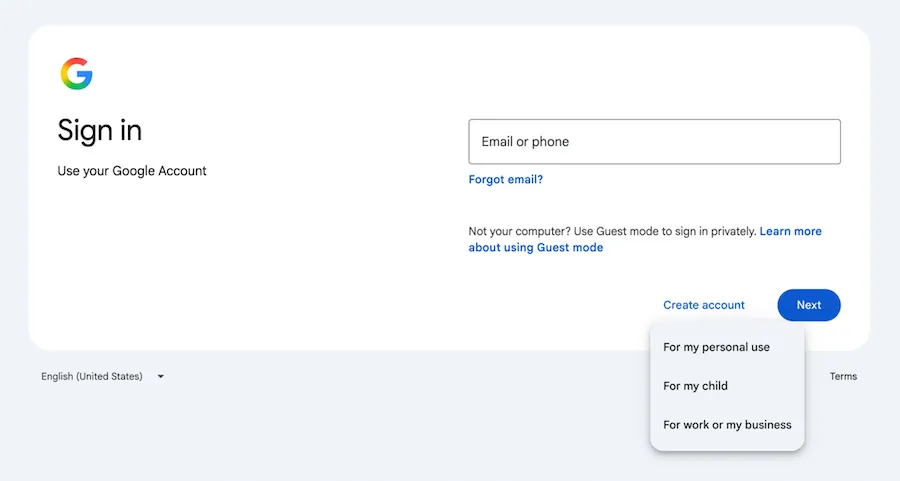
To create a Google account, go to accounts.google.com and then click Create account > For my work or business.
2. Sign up for Google Ads
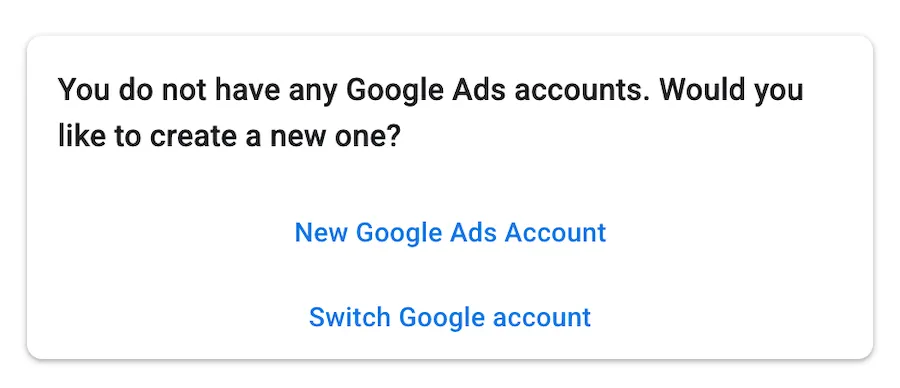
To sign up for Google Ads, make sure you’re logged in to the Google account you just made and go to the Google Ads login page. There, you’ll have the option to set up a new Google Ads account or switch to another Google login. Select “New Google Ads Account” to get started.
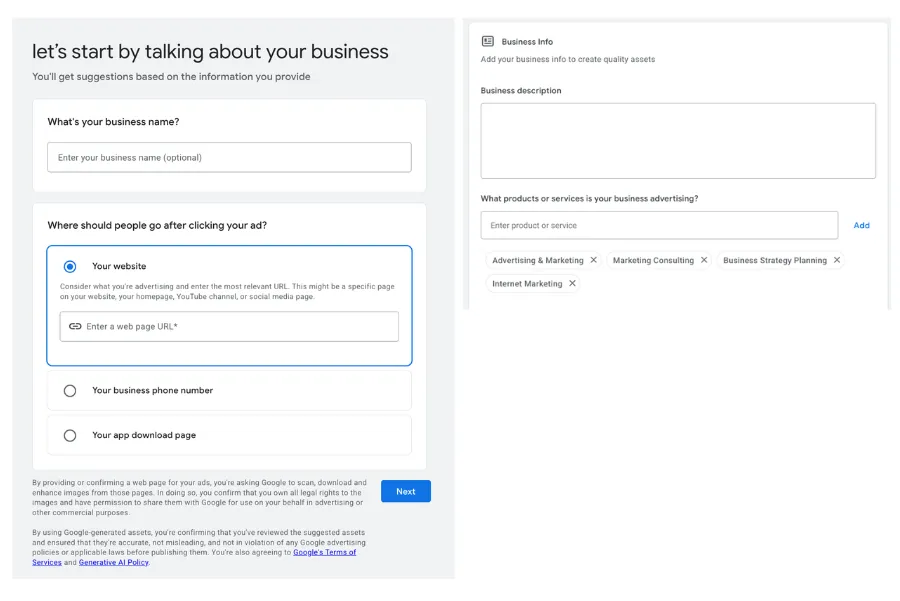
3. Enter your business information
To establish your new Google Ads account, you’ll need to share some basic information about your business, including:
- Business name
- Where you want to drive people from your ad (website, phone number, or app download page)
- Business description
- What products or services you’ll advertise
- Your website information
4. Input your business and payment information
Once you’ve entered your basic business information, Google Ads will put you into a workflow to create your first campaign. We recommend skipping this automated option since it gives you less control over your campaign setup. To bypass it, select the option at the bottom that says, “Not ready for a campaign? Set up an account only.”
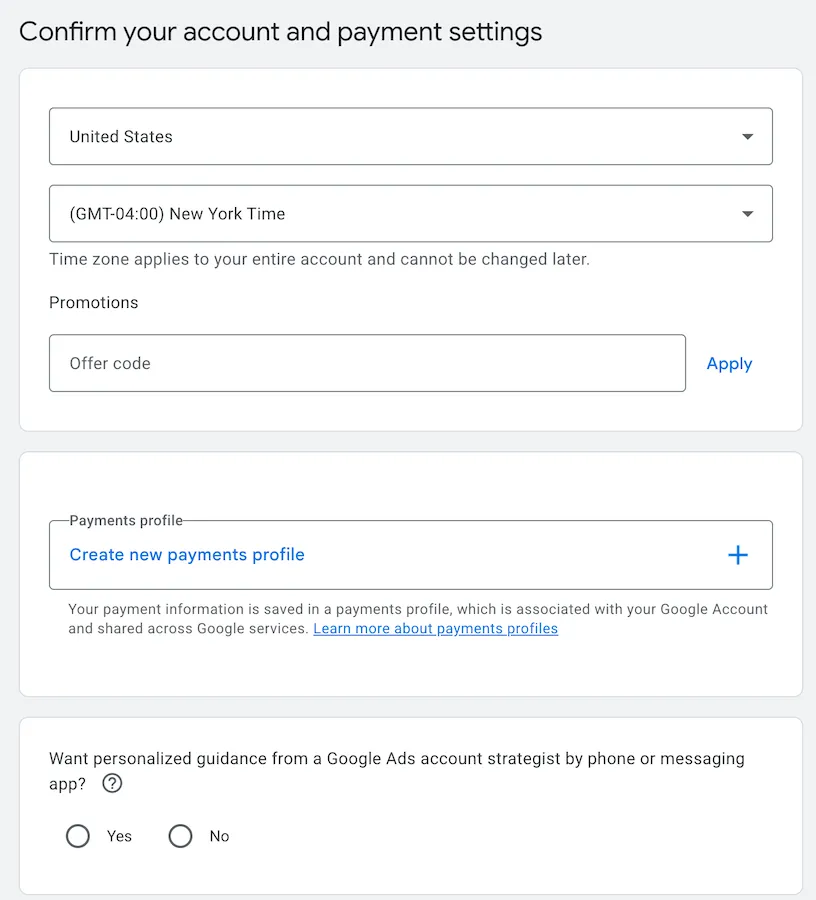
When you do so, you’ll be directed to the account and payment settings page. Google will ask for billing information, so when you’re ready to create your first campaign, you can launch it quickly.
5. Set up your first campaign
After you’ve input your payment information, you’ll be able to build your first campaign! We recommend you do it from scratch, since it gives you options to customize that you wouldn’t get in the quick campaign setup workflow we mentioned above. We walk you through all the steps to creating your first Google Ads campaign here.
👀 What results can you expect from Google Ads? Download our latest Google Ads Benchmarks to find out >>
Before you create a Google Ads account
Setting up a Google Ads account is fairly simple, but in order to run Google Ads effectively, you’ll need to have a few things in place first.
1. Make sure your website is relevant and easy to navigate
Your Google Ads account will help you bring qualified searchers to your landing pages. Once they’ve made it to your site, it’s your job to convince them to convert.
Rather than driving them to your homepage or a general shopping page, building out a landing page that connects directly to your advertising message helps drive conversions. People who click on your ad need to find a clear next step to take when they arrive at your site. Whether that’s downloading a white paper, buying a specific product, registering for an event, or something else, there should be a clear CTA that makes it easy for them to do it.
If your landing pages are cluttered, lack relevant information, or do not facilitate a conversion, your paid search efforts will be in vain. Check out our landing page checklist to ensure yours will make your PPC campaign investments money well-spent.
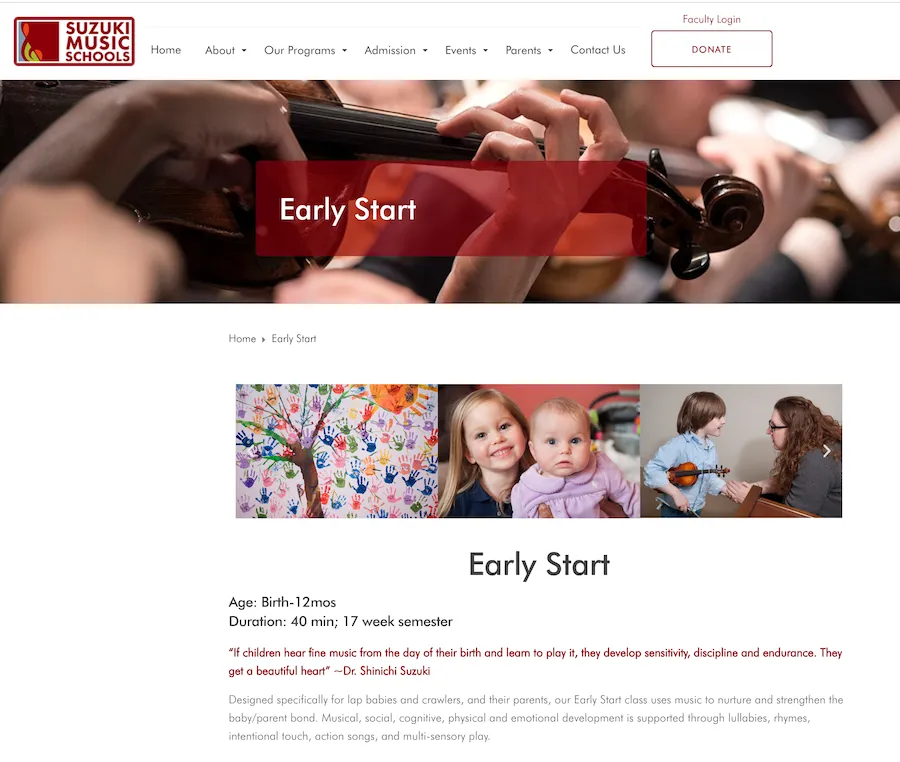
While this music school offers classes for students of many ages, a search for “music classes for toddlers nyc” drives to this landing page with sessions for babies.
Get inspiration from these good, clean landing page examples.
2. Prepare to commit to this project long-term
You won’t see the full potential of your Google Ads account from the start. Cliché as it may be to say, PPC is a marathon, not a sprint. It takes time to establish a strong account structure, expand keyword lists, identify negatives, and test ad and landing page combinations.
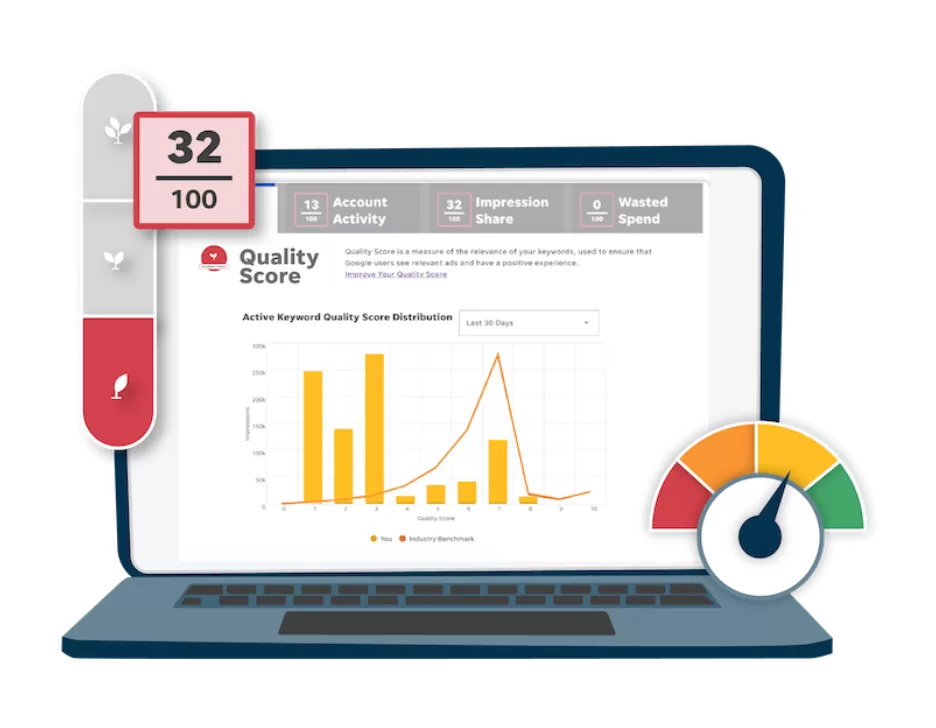
Most accounts start off with a poor Quality Score, which compares your ad quality with that of other advertisers. It’s measured on a scale of 1-10 and takes your expected click-through rate, ad relevance, and landing page experience into account.
You will see your Quality Scores shift once you’ve established your Google bona fides and proven that your account offers a positive user experience — a process that typically takes four to six weeks.
🛑 Want to learn more about search engine marketing on Google? Get the free guide >> PPC 101: Complete Guide to Google Ads
3. Be ready for some heavier lifting in the first month
Sure, once your account has been up and running for a while, you can sit back and relax. However, your first month will require a bit more work. If you’ve never managed a PPC account before, do some studying ahead of time.
Once you know the ropes, you can embark on the account build-out, and then for the first few weeks, you’ll need to monitor your performance carefully. Though it may be tough at first, your efforts will pay dividends in the long run.
4. Identify what your conversion will be
One of the most important things to consider is how you will define a conversion. A “conversion” is the action you want the searcher to take after they’ve clicked on your ad and visited your landing page.
Different advertisers track different types of conversions. An e-commerce site might want to drive purchases, whereas a plumber may be looking for form fill-outs or phone calls. It is also important to identify the value associated with a completed conversion.
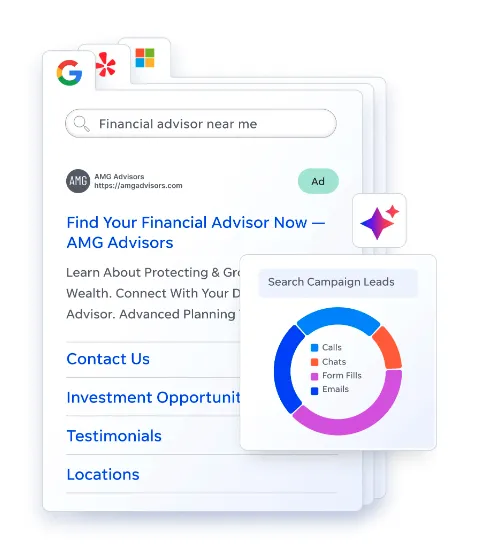
Find out how to set up conversion tracking for Google Ads here.
Free Google Ads resources
Like we said above, once you have your account set up, there’s lots of work to do! But don’t worry, we have plenty of resources to help you out, like our:
- PPC 101 Guide: This free guide will take you through the basics of PPC and Google Ads, including Quality Score, keywords, metrics, and more.
- Hacking Google Ads Guide: Download this guide to understand how to improve your Quality Score and ultimately maximize your budget.
- Google Ads Account Structure Guide: The way you organize your account greatly impacts your ad performance. Learn how to set it up correctly with this free guide.
- Google Ads Performance Grader: Our free tool checks for opportunities to maximize your ROI.
Don’t want to set up your account yourself? We can help! Check out our digital marketing solutions.
About the WordStream Blog
We've been a trusted source of data, news, and strategy for over 15 years. All of our content is written and reviewed by real people: a dedicated team of professionals with decades of combined experience in marketing and advertising for businesses of all sizes.


Add us as a preferred source on Google
Are you wasting money in Google Ads?

Meet The Author
Amanda Rodhe
Amanda Rodhe is a freelance content marketing writer. She’s passionate about the power of the written word and loves helping brands craft compelling stories that stick. You can connect with her on LinkedIn or learn more on her website.
Recommended for you